
Duet Night Abyss Interactive Maps & Locations

Duet Night Abyss Interactive Maps

Explore Mistwharf Map, Zhuyin Altar Map, Purgatorio Island Map in Duet Night Abyss with DNA, Geniemon, Chests, Collectibles, Readables, plus more locations brought to you by The Hidden Gaming Lair!

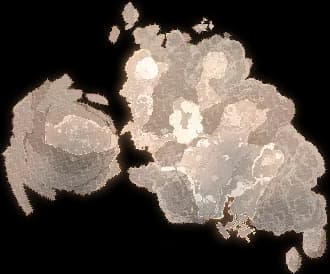
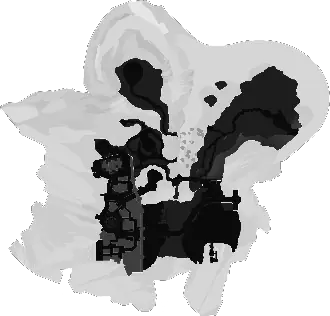
The Spathatoi Map

Navigate The Spathatoi with our interactive maps.

Explore the The Spathatoi

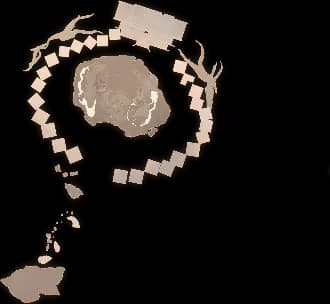
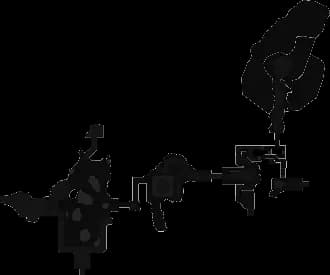
Flowers of Solicitude Map

Navigate Flowers of Solicitude with our interactive maps.

Explore the Flowers of Solicitude

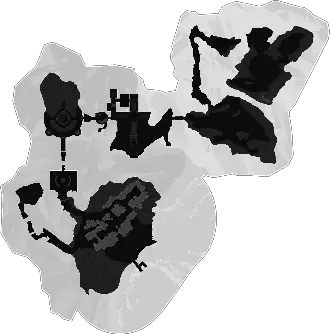
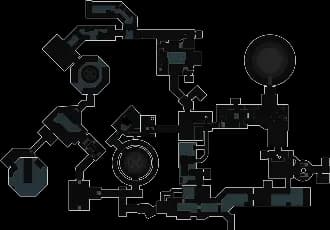
Lakeside of Lamenting Lake Map

Navigate Lakeside of Lamenting Lake with our interactive maps.

Explore the Lakeside of Lamenting Lake

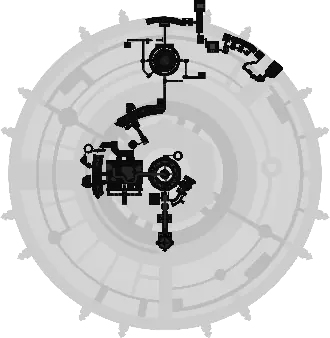
Icelake Suburb Map

Navigate Icelake Suburb with our interactive maps.

Explore the Icelake Suburb

Mine Ⅰ Map

Navigate Mine Ⅰ with our interactive maps.

Explore the Mine Ⅰ

Mine Ⅱ Map

Navigate Mine Ⅱ with our interactive maps.

Explore the Mine Ⅱ

Mine Ⅲ Map

Navigate Mine Ⅲ with our interactive maps.

Explore the Mine Ⅲ

Mine Ⅳ Map

Navigate Mine Ⅳ with our interactive maps.

Explore the Mine Ⅳ

Legion Fortress Map

Navigate Legion Fortress with our interactive maps.

Explore the Legion Fortress

Outsider's House Map

Navigate Outsider's House with our interactive maps.

Explore the Outsider's House

The Hypnos' House Map

Navigate The Hypnos' House with our interactive maps.

Explore the The Hypnos' House

The Fischers' Secret Base Map

Navigate The Fischers' Secret Base with our interactive maps.

Explore the The Fischers' Secret Base

Chapter01_Sew01 Map

Navigate Chapter01_Sew01 with our interactive maps.

Explore the Chapter01_Sew01

Chapter01_Sew02 Map

Navigate Chapter01_Sew02 with our interactive maps.

Explore the Chapter01_Sew02

Chapter01_Sew03 Map

Navigate Chapter01_Sew03 with our interactive maps.

Explore the Chapter01_Sew03

Legion Medical Centre Map

Navigate Legion Medical Centre with our interactive maps.

Explore the Legion Medical Centre

The Asphodel Map

Navigate The Asphodel with our interactive maps.

Explore the The Asphodel

Chapter01_Won_Part01 Map

Navigate Chapter01_Won_Part01 with our interactive maps.

Explore the Chapter01_Won_Part01

Chapter01_Won_Part02 Map

Navigate Chapter01_Won_Part02 with our interactive maps.

Explore the Chapter01_Won_Part02

Haiboliya_Longsha01 Map

Navigate Haiboliya_Longsha01 with our interactive maps.

Explore the Haiboliya_Longsha01

Central Zone Map

Navigate Central Zone with our interactive maps.

Explore the Central Zone

Underground Sewer Map

Navigate Underground Sewer with our interactive maps.

Explore the Underground Sewer

Haiboliya_Longsha04 Map

Navigate Haiboliya_Longsha04 with our interactive maps.

Explore the Haiboliya_Longsha04

Sanctuary Map

Navigate Sanctuary with our interactive maps.

Explore the Sanctuary

Crowsong Hollow Map

Navigate Crowsong Hollow with our interactive maps.

Explore the Crowsong Hollow

Tidesong Cavern Map

Navigate Tidesong Cavern with our interactive maps.

Explore the Tidesong Cavern

Twilight Ravine Map

Navigate Twilight Ravine with our interactive maps.

Explore the Twilight Ravine

Gritblight Expanse Map

Navigate Gritblight Expanse with our interactive maps.

Explore the Gritblight Expanse

Hall of Ephemerality Map

Navigate Hall of Ephemerality with our interactive maps.

Explore the Hall of Ephemerality

Reedshore Map

Navigate Reedshore with our interactive maps.

Explore the Reedshore

Starwharf Map

Navigate Starwharf with our interactive maps.

Explore the Starwharf

Haze Market Map

Navigate Haze Market with our interactive maps.

Explore the Haze Market

EverSpring Map

Navigate EverSpring with our interactive maps.

Explore the EverSpring

Prologue_Balcony Map

Navigate Prologue_Balcony with our interactive maps.

Explore the Prologue_Balcony

Prologue_Clouds Map

Navigate Prologue_Clouds with our interactive maps.

Explore the Prologue_Clouds

Prologue_Village Map

Navigate Prologue_Village with our interactive maps.

Explore the Prologue_Village

Sandrealm in the Dream Map

Navigate Sandrealm in the Dream with our interactive maps.

Explore the Sandrealm in the Dream

Character Demo Map

Navigate Character Demo with our interactive maps.

Explore the Character Demo

Sandrealm Meditation Map

Navigate Sandrealm Meditation with our interactive maps.

Explore the Sandrealm Meditation

Special Sprint (Co-op Enabled) Map

Navigate Special Sprint (Co-op Enabled) with our interactive maps.

Explore the Special Sprint (Co-op Enabled)

Testing Ground (Variant 1) Map

Navigate Testing Ground (Variant 1) with our interactive maps.

Explore the Testing Ground (Variant 1)

Capture Map

Navigate Capture with our interactive maps.

Explore the Capture

Defence ∞ (Variant 1) Map

Navigate Defence ∞ (Variant 1) with our interactive maps.

Explore the Defence ∞ (Variant 1)

Defence (Mobile) Map

Navigate Defence (Mobile) with our interactive maps.

Explore the Defence (Mobile)

Defence (Pro 0) Map

Navigate Defence (Pro 0) with our interactive maps.

Explore the Defence (Pro 0)

Defence (Pro 1) Map

Navigate Defence (Pro 1) with our interactive maps.

Explore the Defence (Pro 1)

Excavation ∞ (Variant 1) Map

Navigate Excavation ∞ (Variant 1) with our interactive maps.

Explore the Excavation ∞ (Variant 1)

Termination Map

Navigate Termination with our interactive maps.

Explore the Termination

The Eclosioner (Variant 1) Map

Navigate The Eclosioner (Variant 1) with our interactive maps.

Explore the The Eclosioner (Variant 1)

Relocation Map

Navigate Relocation with our interactive maps.

Explore the Relocation

Testing Ground (Variant 1) Map

Navigate Testing Ground (Variant 1) with our interactive maps.

Explore the Testing Ground (Variant 1)

Testing Ground (Variant 1) Map

Navigate Testing Ground (Variant 1) with our interactive maps.

Explore the Testing Ground (Variant 1)

Escort Map

Navigate Escort with our interactive maps.

Explore the Escort

Mediation Map

Navigate Mediation with our interactive maps.

Explore the Mediation

Exploration ∞ (Variant 1) Map

Navigate Exploration ∞ (Variant 1) with our interactive maps.

Explore the Exploration ∞ (Variant 1)

Exploration ∞ (Mini) Map

Navigate Exploration ∞ (Mini) with our interactive maps.

Explore the Exploration ∞ (Mini)

Hedge (Mini Pro) Map

Navigate Hedge (Mini Pro) with our interactive maps.

Explore the Hedge (Mini Pro)

Hedge (Pro) Map

Navigate Hedge (Pro) with our interactive maps.

Explore the Hedge (Pro)

Chase Map

Navigate Chase with our interactive maps.

Explore the Chase

Aerial Shot (Ⅱ) Map

Navigate Aerial Shot (Ⅱ) with our interactive maps.

Explore the Aerial Shot (Ⅱ)
In-Game Companion Applive overlay with player tracking and auto-discovery.Get it free →
Get AD​ Free

Looting ads... 💰

Website Updates

Monday, March 30, 2026

Major Layout Redesign

The header and navigation have been completely reworked across all platforms (Web, THGL Companion App, Overwolf) to maximize map area and create a consistent, streamlined experience.

Fewer Ads, More Map

  • Desktop: some ads are hidden when the filter sidebar is collapsed, giving you a cleaner map experience
  • Mobile: reduced from two ad containers (floating video + banner) to a single 320x50 bottom banner
  • "Get AD-Free" badge made more compact

New Header Layout (Web)

  • Replaced the left sidebar with a compact game switcher dropdown in the header
  • Social links (Discord, GitHub, Reddit) now sit inline in the header on desktop, and in the nav dropdown on mobile
  • Legal Notice, Privacy Policy, and Consent links moved into the nav dropdown on all screen sizes
  • Removed the Info button — all its content is now in the nav dropdown
  • Settings and Account buttons use outline style for better visibility
  • Account icon changed from Heart to CircleUser for clarity

New Header Layout (THGL Companion App)

  • Streamlined to just Settings, Account, and a burger menu in the header
  • Hide Controls, Overlay/Desktop/Both toggle, and Live Mode always visible in the header on all screen sizes
  • Burger menu contains social links (Discord, GitHub, Reddit), Debug Snapshot, and legal links
  • CircleUser icon for account, consistent with web

New Header Layout (Overwolf)

  • Rebuilt header with own 32px design (no longer shares the 54px web header)
  • Game switcher with compact icon fits the smaller header
  • 2nd Screen Mode, Live Mode, and Hide Controls always visible
  • Settings and Account as outline buttons, burger menu for socials, debug, and legal links
  • Debug Actors button now a compact icon instead of full-width text button
  • "Show controls" hint text reduced for a cleaner overlay experience

Grouped Map Controls

  • Map controls (Compass, 3D, Zoom, Home) and action buttons (Whiteboard, PeerLink, Node, Drawing) are now compact grouped strips
  • On mobile, a single button opens a popover with all controls
  • Action clicks close the popover; map control clicks don't
  • Consistent 32x32px button sizes across all groups

Collapsible Filter Panel

  • Filters collapse on mobile by default for more map space
  • A floating "Filters" button appears when collapsed
  • Slide-in/out animation via CSS left positioning
  • Expand/collapse toggle for small/large filter mode on desktop

Marker Tooltip Improvements

  • Tooltips now render outside the map container (no longer clipped by overflow)
  • Works correctly in small overlay/minimap windows
  • Tooltip closes when hovering over UI overlays (controls, filters)
  • Tooltip won't open for markers hidden behind UI elements

New Map Renderer on Overwolf

Other Improvements

  • External nav links restyled as pill buttons with borders for better visibility
  • Locale switcher shows globe icon and highlights active language
  • Brand text shows full game name on large screens, "TH.GL" on medium
  • Mobile banner ad aligned to bottom-left
  • "Get AD-Free" badge made more compact
  • Removed unused dev-log utility
  • Cleaned up private-node debug logging

... and several more Bug Fixes

Monday, March 23, 2026

New Map Renderer

The interactive map has been completely rebuilt with a new WebGL2-based renderer, replacing the previous engine (leaflet). This affects all game websites and the THGL Companion App.

What's improved

  • Map rendering is significantly faster and smoother, especially when zooming and panning
  • Icons and markers are rendered more efficiently, even with thousands on screen
  • Smoother player movement

3D Perspective Mode

  • Right-click and drag to tilt and rotate the map
  • On mobile, use two fingers to rotate and tilt while zooming
  • Height indicators show elevation differences between markers when tilted
  • New compass and map controls (3D toggle, zoom, reset view) next to the existing action buttons

New Settings

  • Dynamic icon sizing: control how marker icons scale when zooming in and out (toggle + intensity slider in Icon Sizes settings)
  • Trace line style: choose between dots (default) or connected line

Tooltip Improvements

  • Tooltips now reposition automatically to stay within the map area
  • Improve scrolling inside long tooltip descriptions

Text Labels

  • Labels scale consistently with zoom level

Other Changes

  • Responsive ad layout: smaller ad format on short browser windows to avoid overlapping map controls

Overwolf in-game overlays are not updated yet — I'd love to get your feedback on the new renderer first before rolling it out there. Let me know if you notice anything off!

Wednesday, March 11, 2026

Filter Macro Categories

Games with many filter groups now organize related groups under collapsible categories, making the sidebar much easier to scan!

  • Palia — Bugs, Foraging, Fishing, Hunting, Lumberjacking, Hotspots
  • Wuthering Waves — Echo Sets, Monster Rarity, Spawn Sources
  • Avowed — Combat, Gathering, Interactables
  • Pax Dei — Crafting Skills
  • Blue Protocol: Star Resonance — NPCs, Documents, Monster Hunts
  • Satisfactory — Resources, Deposits
  • Infinity Nikki — Location Types, Collectibles
  • Palworld — Pals
  • Duet Night Abyss — NPCs
  • Once Human — Creatures

Categories have their own All/None toggle and progress bar, and collapse to hide all child groups at once.

Unified Filter Sidebar

The entire filter sidebar has been reworked for a consistent, compact look:

  • All filter groups, categories, drawings, and my filters now share the same interaction pattern — chevron expand, All/None toggle, and progress bar
  • The top section (map selector, presets, global filters) has been restyled to match — smaller, utilitarian text with count badges
  • Drawings and My Filters sections are now collapsed by default to reduce clutter

Settings Dialog Rework

  • Settings are now organized into clear visual sections (Map Behavior, Accessibility, Trace Line, Audio Alerts, Labels, Icon Sizes)
  • Reset Interface button moved to the bottom and now properly resets ALL UI settings — not just icon sizes

I'd love to hear your feedback on the new layout! Let me know if any categories are missing or if you'd like groups organized differently for your game.

Thursday, February 19, 2026

Multi-language support

The THGL app now auto-detects your system language on first launch. You can also manually change the language anytime in Dashboard Settings. This feature is not available in the Overwolf apps. Note, that the map language support varies per game.

Marker Labels

Everyone can now display text labels above map markers for easier identification. This is especially helpful for colorblind users or when navigating crowded maps.

How it works

  • Click the settings icon next to any filter in the sidebar
  • Set the Label option to control when labels appear:
  • Off - No label (default)
  • Always - Label always visible
  • In Range - Label only shows when within alert range
  • Hotkey - Label shows while holding the Toggle Labels hotkey

High CPU

Fixed high CPU usage and lag spikes during gameplay.

Wednesday, February 18, 2026

High Contrast Markers

You can now customize the marker outline in Settings: choose color, opacity, and thickness.

Username and Avatar

You can now change your username and avatar for node comments at th.gl/support-me/account. This lays the groundwork for more account features - cloud backup and profile sync are next.

Close Behavior

You can now configure whether closing the THGL Companion App minimizes to tray or exits completely.

Elevated Auto Start

Optimized how the app launches with admin privileges on Windows startup. This should fix remaining UAC prompt issues.

Looking for more updates? Check out our Discord Server for the most recent changes!

Get AD​ Free

Looting ads... 💰